


 4,322 HAPPY CUSTOMERS
Download the Cloud Phone App and Easily Manage Multiple Devices
 Run 24/7 Online without Occupying Storage or Power Multi-Device Synchronized Operation, Enhancing Efficiency Pure Cloud-based Android System with Various Features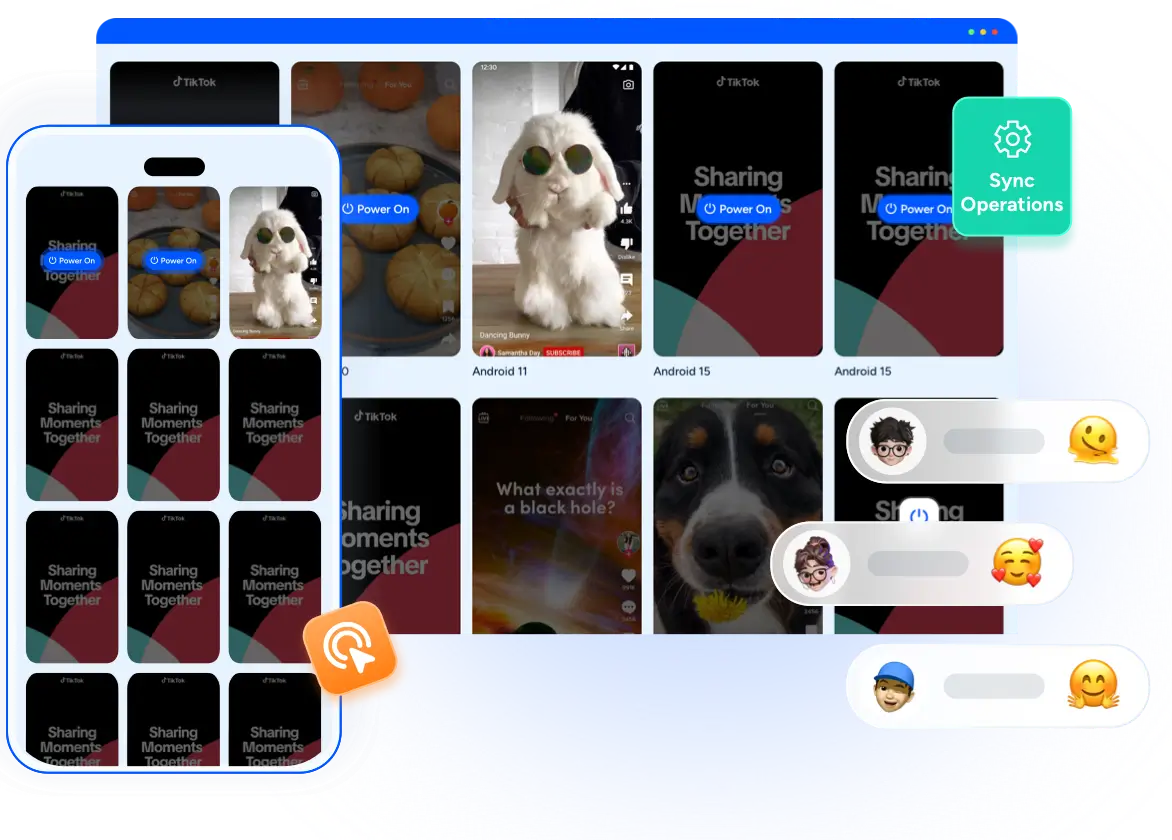

Multi-Device Versions, One-Click Download
Available for Android, iOS, Windows, Mac, and web browsers. Switch between devices easily and manage your cloud phones efficiently anytime.
 Android
Multi-account support, secure and isolated
 iOS
iOSStable and secure, easy multi-account management
 Windows
Stable for background tasks, low resource usage
 Mac
MacMulti-account support and remote management

Why Download the Cloud Phone App?
Multi-account management, anti-blocking, and global high-speed nodes let you manage accounts efficiently anytime, anywhere—without device limitations.
 Unlimited Multiplicity
Multiple Devices, No Restrictions: No Purchase Limit, No Device Cap, No Activation Limit
 Multi-Platform Control
Anytime, anywhere, just click No client download required, accessible via PC and mobile browsers
 Application Management
Application management so easy Bulk install, uninstall, and launch applications
 One-Click Reskin
Easily change environments Switch to a new device with one click, cloud mobile environments remain unassociated
 One-Click Sharing
Efficient management Join a team with one click, share cloud devices among multiple users
 Applicable to Global Markets
Boost efficiency with one-click batch sync — for account management, social marketing, and short videos.

Start Cloud Phone in 3 Easy Steps
is easy to follow, letting you enjoy efficient cloud management effortlessly
 Step 1: Download & Install
Download the app from the official website and install it.
 Step 2: Sign Up / Log In
Register with your email, or log in with an existing account.
 Step 3: Connect Cloud Phone
Connect your cloud phone device to start remote management and operations.

For every business scenario, there is a solution
 Game Management
FoxPhone can run in the background 24/7, unrestricted by location or time, ensuring accounts stay online and improving account management efficiency.
 You have different questions?
Our team will answer all your questions. We ensure a quick response.
Question: What is a cloud phone?
Answer: Cloud phone is a virtual Android device hosted in the cloud. It has similar functions to regular mobile phones, allowing for remote installation of applications, file management, and task execution. Users can access it through a browser or client to achieve multi device management without the need for physical hardware.
Tip:Suitable for developers, testers, or users who need to run multiple Android instances simultaneously..
Q: Is my data secure?
A: Cloud Phone services use encrypted storage and secure connections to protect your data. Each instance is isolated, and access controls prevent unauthorized usage. Users are encouraged to enable two-factor authentication and manage app permissions for additional security.
Tip: Regularly backup important data and monitor activity logs for unusual access.
Q: What are the pricing options?
A: Pricing varies based on usage and configuration. Options include hourly, daily, and monthly plans. Additional charges may apply for higher CPU, memory, or storage requirements. Discounts are available for bulk usage or long-term subscriptions.
Tip: Review the plan details carefully to optimize cost versus performance.
Q: How to get started?
A: To get started with a Cloud Phone, first sign up for an account on the service platform. Verify your email and add a payment method. Then, navigate to the dashboard, select 'Create New Phone', choose the desired configuration, and launch your cloud instance.
Tip: Begin with the default configuration to familiarize yourself before scaling to multiple devices.
You have different questions?Our team will answer all your questions. We ensure a quick response.
Manage multiple accounts on one cloud device with ease. Secure, stable, and effortless—just like an expert.
Experience Now

- Useful Links
Compay Information




 Cookie Notice